

Animated Illustration




Vector illustration is a huge part of the UI/Product design. It can be used for marketing collaterals like social media posts or videos. Once you design them, it is versatile. One piece of illustration can contain an impactive voice that can convey a good story for the product. And unlike raster images it can be animated in various ways without pixelation.
There are many ways to animate vector illustrations but for the interactive and concise animation like this case, CSS Animation is the best way to pull it off. It's fast and easy to get an imediate response to the mouse input.
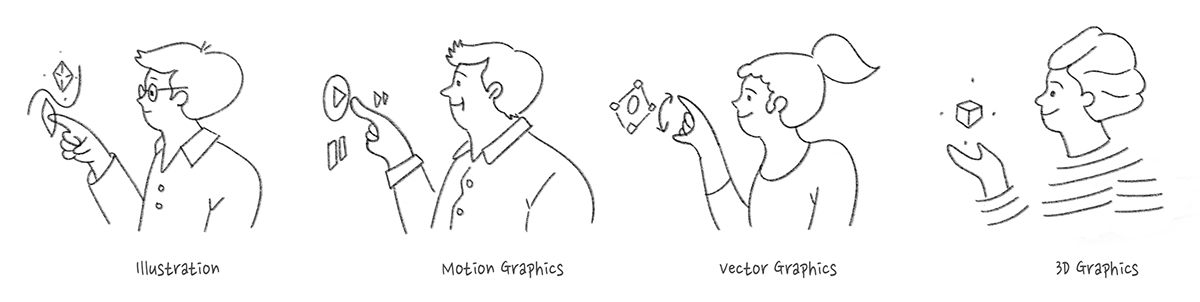
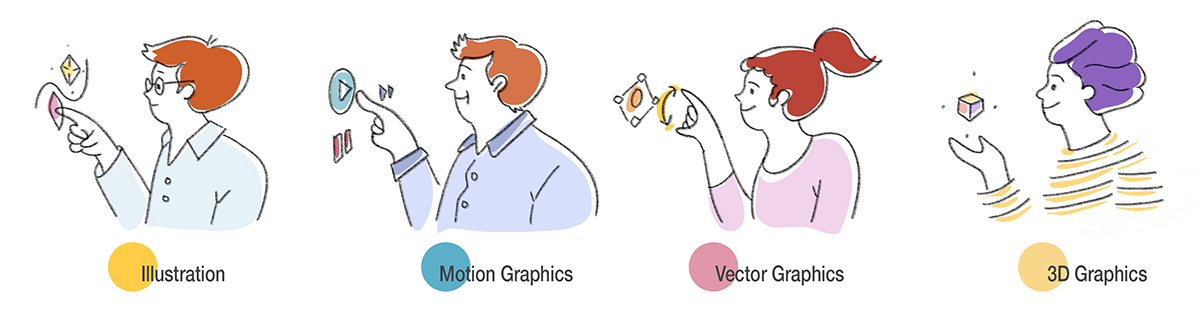
Firstly, I created the outline of the design on Procreate. When it comes to a storyboarding for animation, keep the images simple and easy to drarw in simple paths. After storyboarding I tried various colors on Photoshop and determined the color scheme.

I crafted the final vector illustrations on Adobe Illustrator. I drew each scene based on the draft on Procreate and also made sure that every element consists of simple and smooth paths so that the file size is small and optimal to be animated in CSS.

This animation is not to begin automatically as the page loads but they have to be triggered by mouse-hover input. For that interactive design, CSS is the best and simple way.
Also I added some 3D perspective to the design using JavaScript and CSS attribution. This 3D tilting effect is also triggered by mouse event and adds some depth to the design. It's interesting how small, different factors can reinforce each other's effect as one chunk of design.

Responsive design is always crucial. For the mobile screen, I tweaked the layout and the size of each design element using CSS media query.