

GSAP Aanimation


Digital animation enhances user engagement and brings life into websites. And the GreenSock Animation Platform(GSAP) is definitely one of the most robust animation libraries.
I used GSAP to animate and synchronize two parts of motion graphics. However, due to a change in the license state of the DrawSVGPlugin, I had to find a substitute for that premium plugin. Fortunately, using Gemini(Bard), I could replace Vanilla JavaScript for DrawSVGPlugin, ensuring it played smoothly alongside the rest of the GSAP animation.
The animation devides into two sections. One is text-informations showing up in chronological order and the other is SVG line that is to be drawn from one end to the other, which requires the use of DrawSVGPlugin.
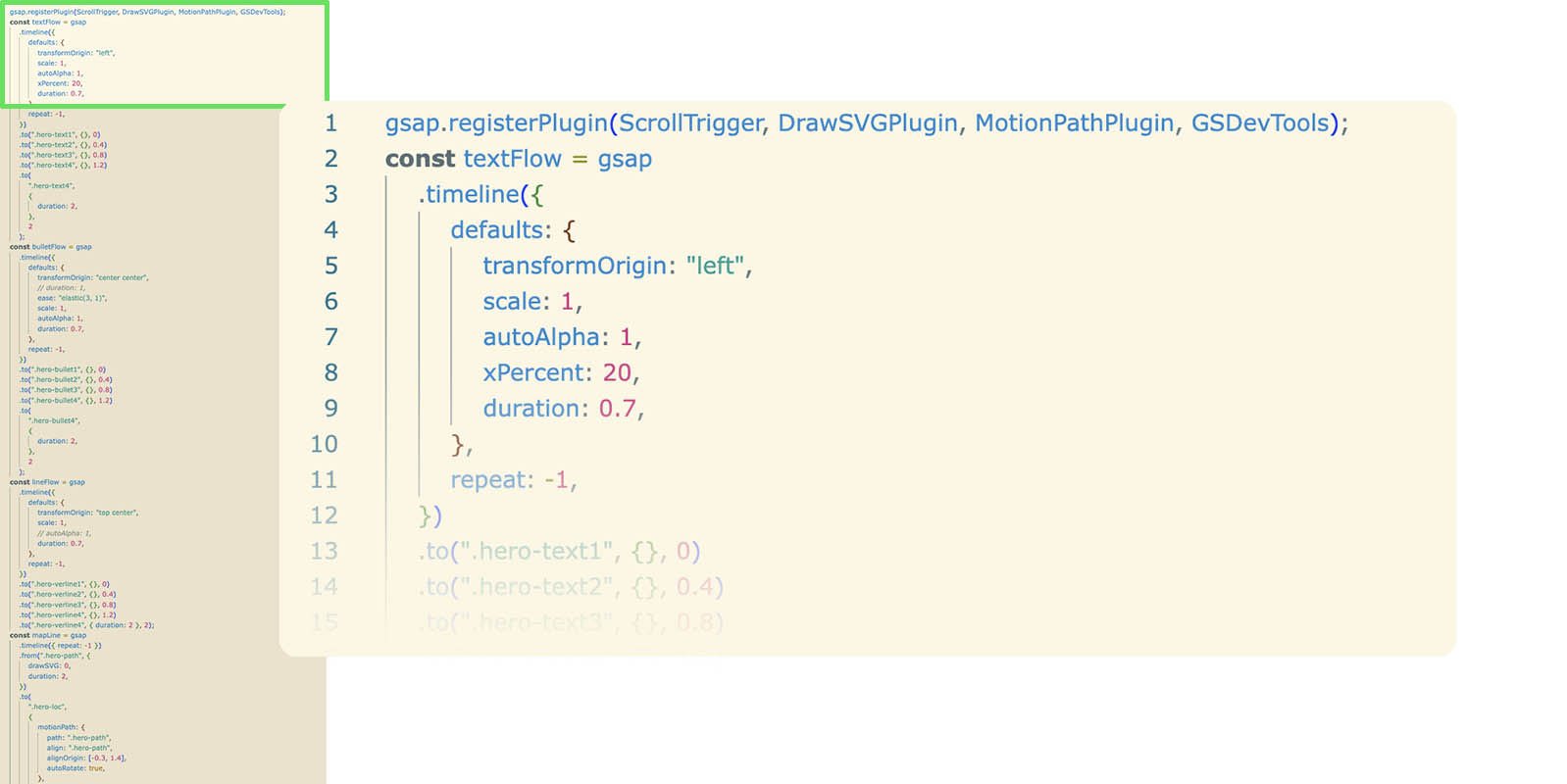
Initially, I implemented GSAP's DrawSVGPlugin along with the other plugins such as 'ScrollTrigger, MotionPathPlugin'. Using all plugins from GSAP makes it easy to create a cohesive and visually synchronized animation.
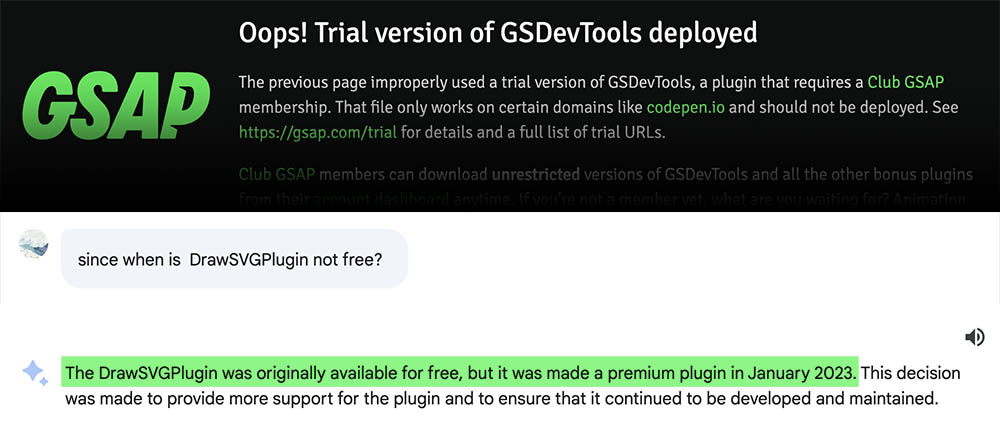
But unfortunately, the DrawSVGPlugin that was originally available for free is currently a premium plugin. As a result, I substituted the vanilla JavaScript (MIT licensed CSSScript)' for 'DrawSVGPlugin'.
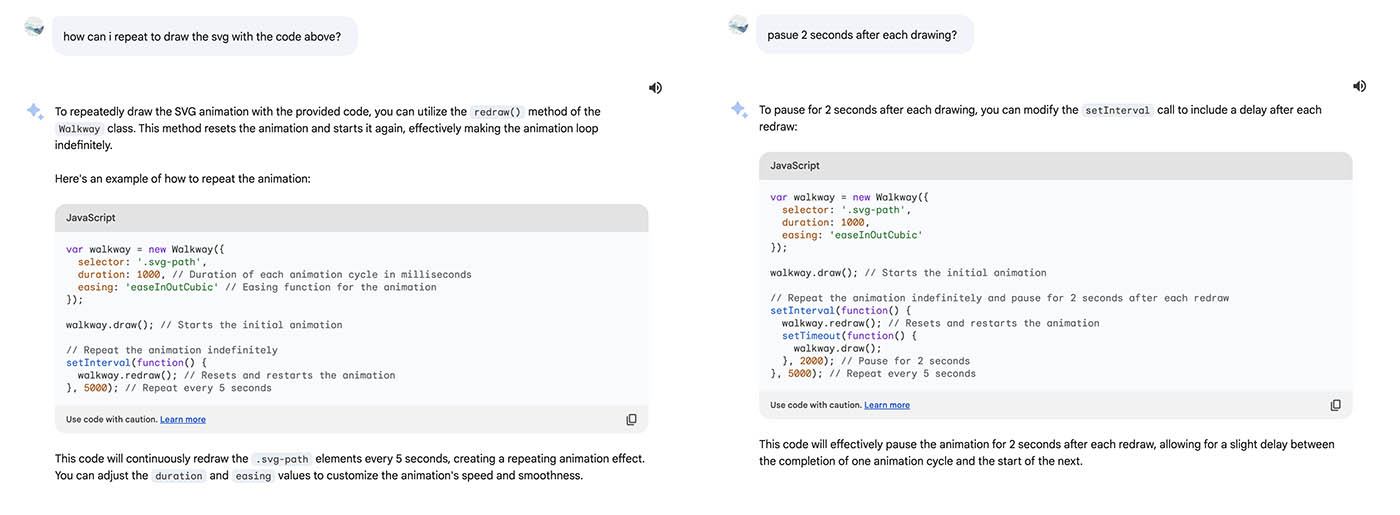
Since JavaScript is not my strong suit, I used Bard (AI, Gemini) to tweak the code and create a smooth and seamless animation.
As a result, the vanilla JavaScript, as an alternative for GSAP's premium plugin, works cohesively with other GSAP plugins, thanks to Bard.
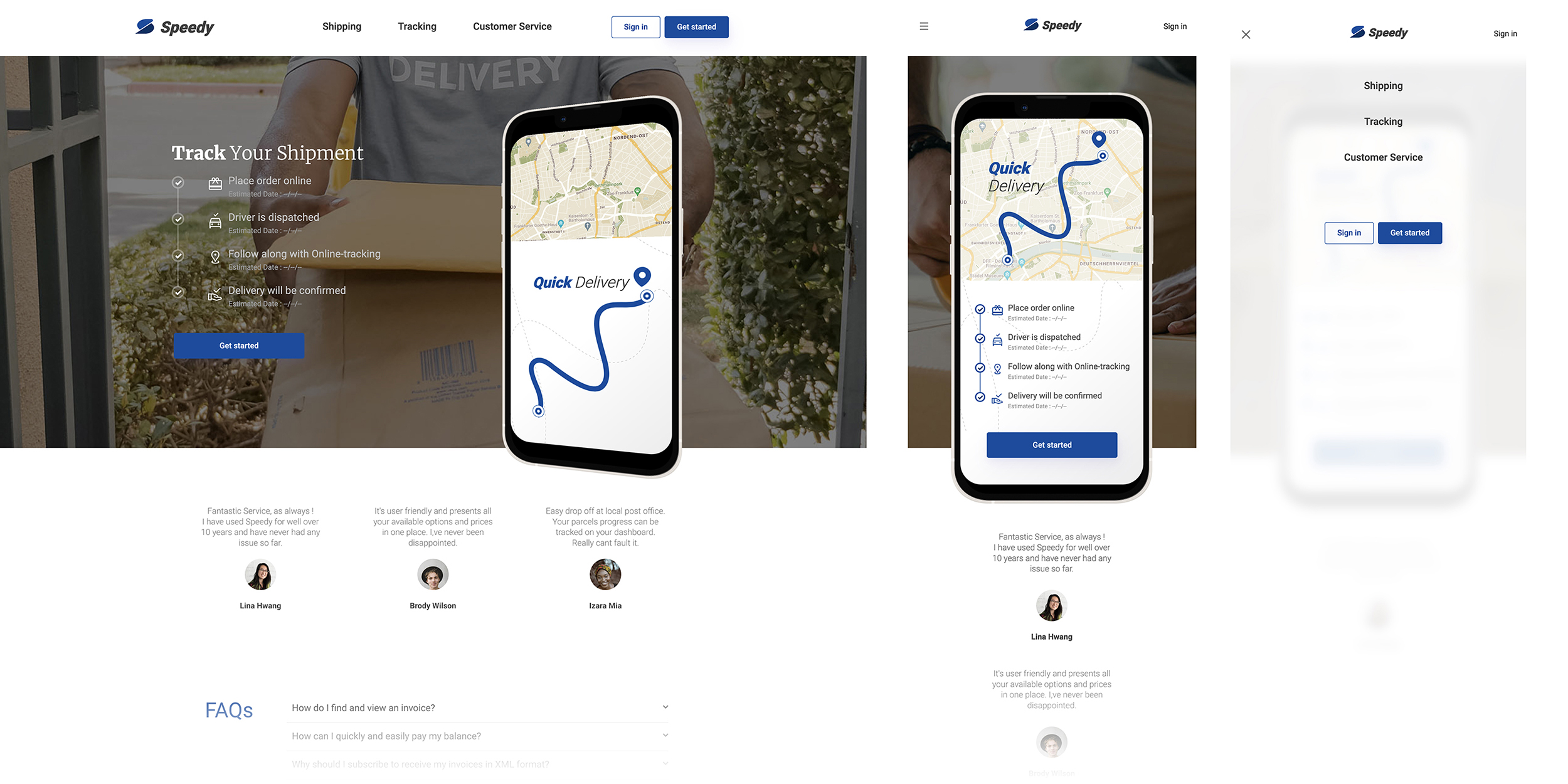
I implemented two slightly different layouts for desktop and mobile. On the mobile screen, I relocate the text-information of progress inside the phone-frame Using CSS Media Query. With this strategy, users can view the text information and SVG animation simultaneously without scrolling.